In our Q1 2026 update we introduce a powerful expansion to FileFlow. With new integrations you can now work directly from the tools that creative and communication teams use every day, such as Adobe, Figma, Microsoft 365 and Google Workspace.
From asset library to workplace
Many organizations already have their digital assets well organized in FileFlow. Files are neatly categorized, metadata is filled in and teams know where to find what they need. Yet there is often still one manual step: moving an asset from the asset library into a document or design.
In practice this usually means leaving your application. You open the asset library in a browser, search for the right file, download it to your computer and then return to your design. It is not a complicated process, but it does interrupt your workflow.
With the new integrations in our Q1 update, that changes. FileFlow becomes not only a central place for your files, but also a direct source inside the applications where teams work every day.
Working directly from your application
Thanks to the new integrations you can now use FileFlow directly within several creative and business applications. You no longer need to switch between windows or store files locally before using them.
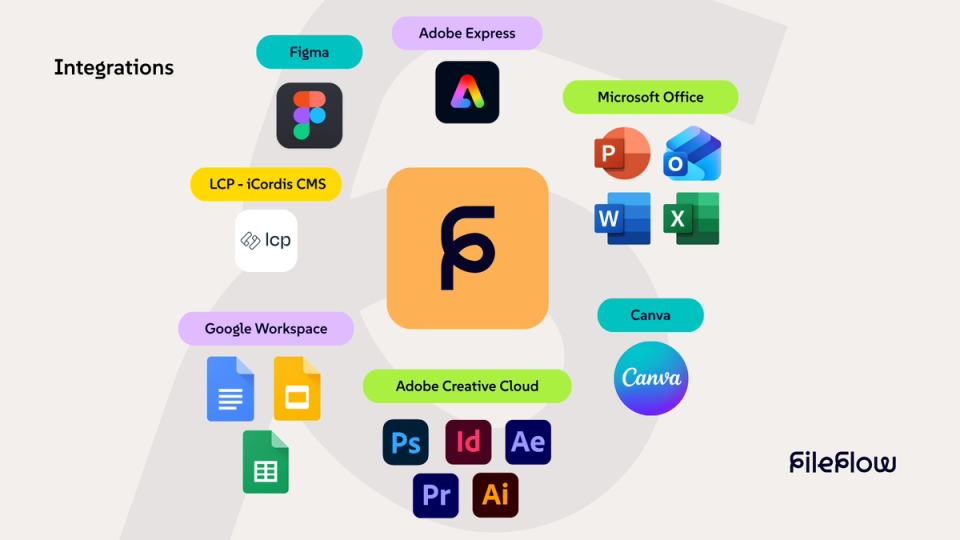
The integrations that are now available include:
- Adobe InDesign
- Adobe Photoshop
- Adobe Illustrator
- Adobe Premiere Pro
- Adobe After Effects
- Adobe Express
- Figma
- Microsoft 365
- Google Workspace
- iCordis CMS by LCP
This turns the asset library into a natural part of your daily workflow. Designers, marketers and communication teams can search, place and manage files stored in FileFlow without leaving their application.

What this means for your workflow
The integrations allow you to work directly with your FileFlow environment from within your document, design or application.
- Search and browse
You can search and explore the full FileFlow library from within the application you are working in. This gives you immediate access to all available files without opening a browser. - Place files instantly
Files can be placed directly into your document, design or application. There is no need to download or store them locally first. - Save versions
New versions or updated files can be saved directly back to FileFlow. This keeps the asset library organized and always up to date. - Always work with the right files
Because you work directly with the asset library, you always use the most recent version of a file. This helps maintain brand consistency and prevents confusion about file versions.
Less switching, more focus
For creative professionals the real benefit is often not time, but focus. Every time you switch between applications your workflow is interrupted.
By integrating FileFlow directly into the tools teams already use every day, that interruption disappears. You stay in your design, presentation, document or application while having access to all assets from the library.
No detours.
No local copies.
No interruption of your flow.
Available as an add-on
The new integrations are available as an add-on. Organizations can enable this extension for teams that work daily with design software, presentations or other forms of content production.
Would you like to learn more about the possibilities or activate an integration for your organization? Feel free to contact us at via the button below.

Integration with iCordis CMS
In addition to creative applications, a connection is also available between FileFlow and iCordis, the modular CMS developed by LCP.
iCordis is a powerful content management system specifically designed for public organizations. The platform has a modular structure, allowing organizations to build their website or digital platform based on their own needs. Thanks to the intuitive interface and smart features, managing content remains simple and structured.
Through the integration with FileFlow, assets from the library can easily be used within websites and digital platforms that run on iCordis. All media stays centrally managed in FileFlow, while content managers can use it directly within their CMS.
Are you interested in this integration or would you like to learn more about the possibilities of iCordis? Contact LCP for more information.

The next step for FileFlow
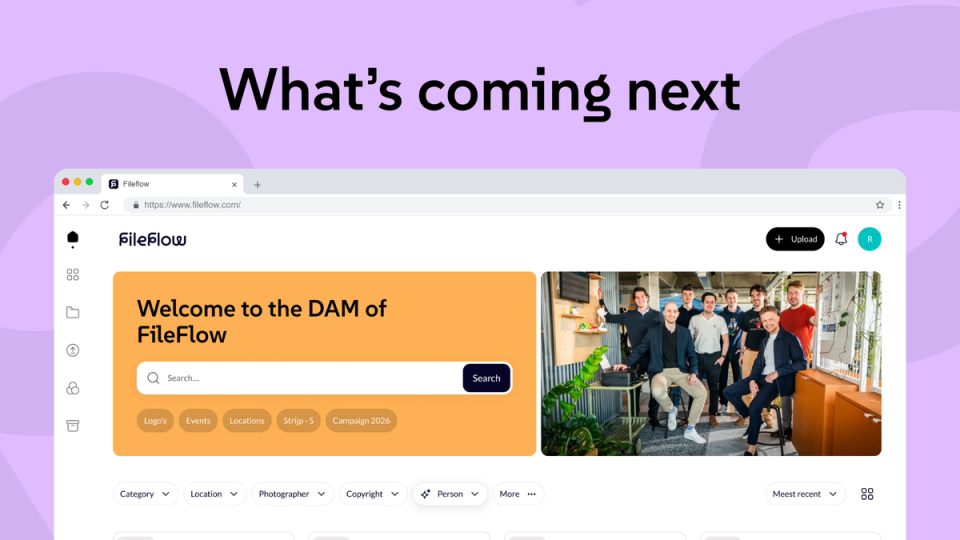
This Q1 update is only the beginning. Behind the scenes we are working on a renewed version of FileFlow that will become available after Q2 2026. With a modern interface, more options to align the environment with your organization's branding and several new features, we are taking the next step in the development of the platform.
Curious about what is coming next? The beta of the new version of FileFlow will launch soon. Would you like to experience it as one of the first?
Register your organization for the beta via the button below.